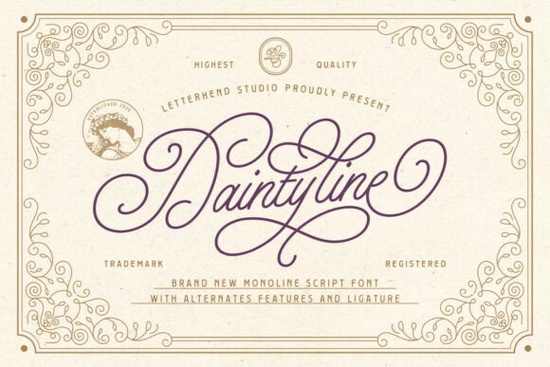
If you've been searching for a monoline script font that feels both refined and versatile, the Daintyline Font is worth a close look. It brings together classic Victorian calligraphy styling with a clean, modern finish making it a strong fit for luxury branding, wedding invitations, and polished product packaging. In this review, I'll walk you through what makes Daintyline stand out, who it's best suited for, and how to get the most out of its features.
What Makes Daintyline Different From Other Script Fonts?
There are thousands of script fonts available today, so what sets this one apart? A few things:
- Consistent line weight. Unlike brush fonts that vary between thick and thin strokes, Daintyline keeps a steady monoline look. This gives your text a clean, professional feel without looking hand-drawn or messy.
- Elegant flourishes. The sweeping letter tails and connectors add a graceful, artisan quality without going over the top.
- Alternates and ligatures. The font includes professional OpenType features that let you swap letter styles and create seamless connections between characters. This makes custom lettering much easier.
If you've worked with fonts like Vintage Melinda or Samantha Handwriting, you'll notice Daintyline sits in a similar elegance tier but leans more toward refined simplicity. It doesn't try to mimic raw handwriting instead, it reads as polished and intentional.
Who Is This Font Best Suited For?
Daintyline works well across several creative fields. Here's where I see it fitting best:
- Wedding stationery designers invitations, RSVP cards, menus, and signage
- Luxury brand owners logos, business cards, and packaging for boutiques, salons, or jewelry lines
- Cosmetics and skincare brands labels, boxes, and promotional materials
- Print-on-demand sellers mugs, tote bags, and apparel with elegant quote designs
- Social media creators Instagram headers, Pinterest pins, and story templates
- Editorial designers magazine headers, blog banners, and book covers
Its versatility is one of its biggest strengths. You can dress it up for a high-end feel or pair it with a simple sans-serif to keep things balanced and modern.
How Do the Alternates and Ligatures Work?
For anyone new to OpenType features, alternates are different versions of the same letter. Daintyline includes several, so you can swap in a fancier "g" or a more flowing "s" depending on the look you want. Ligatures automatically connect certain letter pairs so they flow naturally think "th," "st," or "er."
To access these features, you'll need a design program that supports OpenType, such as Adobe Illustrator, Photoshop, or Affinity Designer. In Illustrator, for example, you can find alternates through the Glyphs panel. If you're working in Canva or a similar tool, you may not have access to all features, so keep that in mind.
What Fonts Pair Well With Daintyline?
Pairing script fonts with the right companion typeface is key. Here are a few suggestions:
- A clean sans-serif like Montserrat or Lato for body text keeps things readable and modern.
- A light serif like Cormorant Garamond for an editorial or sophisticated vibe.
- A playful display font if you want contrast for example, you could pair it with something fun like Cutie Slime Duo for a mixed-style project, or keep it alongside a friendly option like Cute Dog Font for seasonal or lighthearted designs.
The goal is contrast. Since Daintyline is flowing and decorative, your supporting font should be simple and structured.
Where Can I Get Daintyline?
You can find Daintyline on Creative Fabrica, along with thousands of other script fonts in their Daintyline collection and broader library. If you work with fonts regularly, their subscription plan gives you access to a huge catalog which is helpful when you need multiple typefaces for client projects or product lines.
Quick Checklist Before You Buy
Before you download, make sure to go through this short list:
- ☑ Check your software Do you have access to a program that supports OpenType features?
- ☑ Review the license Make sure the license covers your intended use (commercial products, POD, client work, etc.).
- ☑ Test with your content Type out the actual words or phrases you plan to use before finalizing a design.
- ☑ Plan your pairings Pick a secondary font in advance so your layouts feel cohesive from the start.
- ☑ Explore the alternates Don't settle for the default letters. Browse the glyph options to give your text a truly custom feel.
Tip: If you're designing for print-on-demand, always test your text at the actual print size. Script fonts that look beautiful on screen can lose legibility when printed small on a mug or shirt label. Zoom out and check readability before uploading your final files.
Explore Design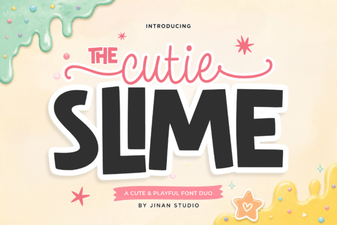 Playful Duo Font for Creative Projects
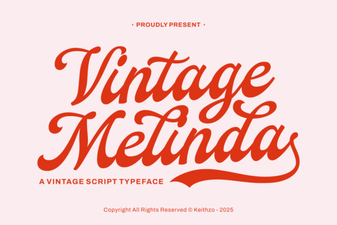 Vintage Melinda Font for Elegant Creative Projects
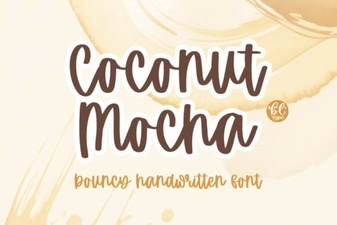 Coconut Mocha: a Warm, Creative Font for Designers
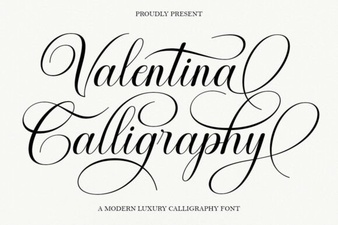 Valentina Calligraphy Font: Elegant Script for Creative Designs
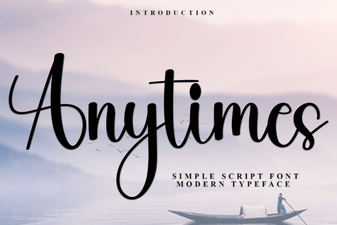 Anytimes Font Free Download - Elegant Script Typeface
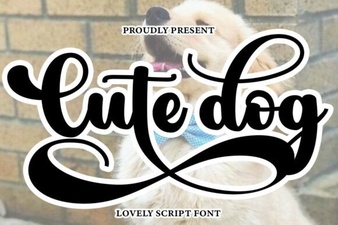 Adorable Dog Font for Fun and Creative Designs